Coda for business combines documents, tables, tasks, projects and workflow automation. Explore its features, use cases and who it is best for.
In many companies, documents, spreadsheets, tasks and workflows exist in separate tools. Data is stored in Google Sheets, instructions remain in documents, tasks are managed elsewhere and important decisions disappear into chat messages.
Coda for business helps bring these elements into one connected workspace. It is a flexible platform that can transform a document into a functional system for managing clients, projects, tasks and everyday business operations.
Coda is currently transitioning to the name Superhuman Docs, but the platform retains the core functionality familiar to Coda users.
Coda combines the flexibility of documents with the structure of tables, databases and business applications.
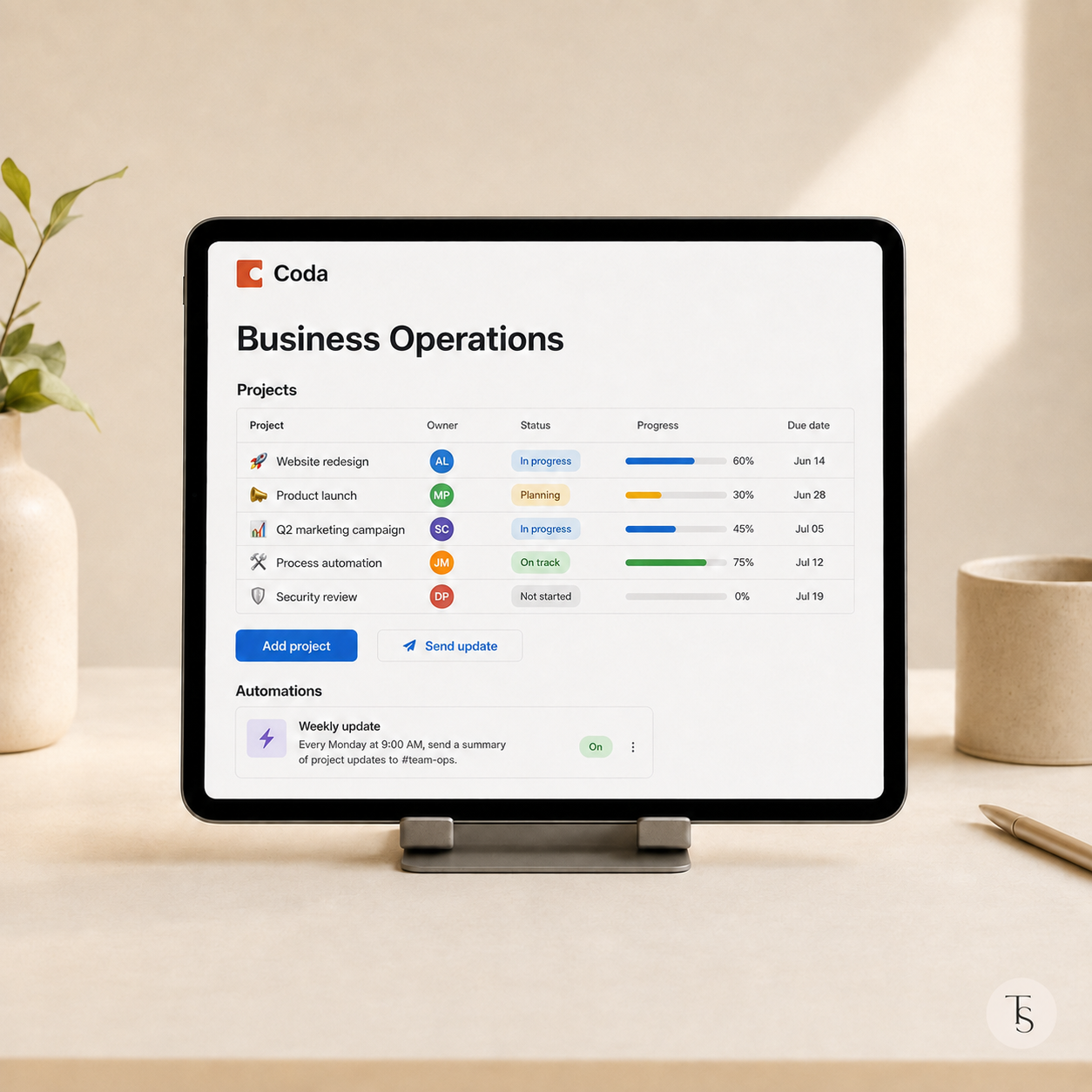
A single page can include text, connected tables, buttons, forms, charts and personalized views. Instead of working across several disconnected files, a team can use one system in which relevant information is linked together.
For example, a client database can be connected to projects, tasks, payments and meetings. When a manager opens a client’s record, they can immediately see the complete relationship history and upcoming actions.
A Coda workspace can be adapted to many business processes, including:
The same information does not need to be copied into separate tables. Managers can have a complete business dashboard, while employees see focused views containing only their own tasks, projects and performance indicators.
Coda tables feel familiar to spreadsheet users, but they support a more connected way of organizing information.
Rows can be linked to each other, formulas can reference structured data and one central table can be displayed in several ways. The same data might appear as a calendar, board, table or personalized workspace.
This makes it possible to build a single source of truth instead of maintaining several versions of the same information.
One of Coda’s strongest features is the ability to add actions without developing a separate application.
Buttons and automations can be used to:
For example, approving a request could update its status, create a task for the responsible person and record the next follow-up date.
Coda can also connect with external tools through Packs. However, integrations should be added after the core workspace structure has been tested and understood by the team.
Coda is a strong option for businesses that have outgrown basic spreadsheets but do not want to develop expensive custom software.
It can work particularly well for:
Coda is especially valuable when a workflow includes multiple conditions, calculations, actions and related tables.
Coda is not necessary for every process. A standard document may be enough for simple instructions, while Excel or Google Sheets may remain better for complex financial calculations.
The platform also requires thoughtful architecture. If tables, formulas and automations are added without a clear structure, the workspace can quickly become difficult for employees to understand.
The best approach is to identify the core processes and sources of data first, build a simple foundation and introduce more advanced functionality only after the team has tested it.
Coda can be shaped around the way a company actually operates — from a simple task tracker to a complete business operating system.
Tsymbala Systems Studio analyzes business workflows and creates clear systems in Coda and Notion. We combine connected databases, dashboards, formulas and practical workflow automation without unnecessary complexity.
Need a system designed around the way your company works? Book a consultation with Tsymbala Systems Studio.
© Tsymbala Systems Studio. This material may not be copied without an active link to the original source.

We explore how to build a CRM system in Notion without complex code.

How to use the power of Coda.io to manage data and processes.
Principles for creating a convenient and up-to-date knowledge base for the team.